

Declutter your digital life for mental clarity and maximum productivity

What Is Digital Clutter? (And Why It's a Real Problem)
You don't see it piling up in your living room, but digital clutter can feel every bit as overwhelming as hoarding your physical space. It's the buildup of unused files, apps, emails, photos, screenshots, open tabs, and forgotten subscriptions that quietly drains your time, your focus, and even your money.

The average person has:
Over 8,000 unread emails (and counting)
80+ apps installed, but only opens about 9 of them each day
2,000+ photos in their camera roll, many of which are screenshots or exact duplicates
At least 2 forgotten paid subscriptions quietly draining their bank account every single month
These numbers aren't just annoying — they point to something bigger: digital hoarding, a modern-day behavior driven by anxiety, decision fatigue, and the fear of deleting something we might "need" someday.
The Hidden Costs of Digital Clutter (You're Paying More Than You Think)
Most people chalk up a digital mess to being an inconvenience. The truth is much worse. Digital clutter hurts your thinking, your emotions, and your wallet.
1. Cognitive Overload and Decision Fatigue
Every icon, unread notification badge, and open tab represents an unfinished task lurking in your mind. Psychologists call this the Zeigarnik Effect — your brain keeps tabs on incomplete stuff, which leaves less mental energy for the work that actually matters. The result? You feel busy all day but get surprisingly little done.
Studies show that visual clutter competes for your attention and shrinks your working memory.
Jumping between 15 open tabs can temporarily lower your effective IQ, and living in a sea of clutter keeps you stuck in that state all day long.
2. Wasted Time You Can Never Get Back
The average knowledge worker burns through 2.5 hours a day just searching for digital files and information (IDC research).
54% of US adults say they waste time navigating their disorganized digital lives.
Hunting for "that one document" buried in a pile of final_final_v3_REAL.docx files doesn't just frustrate you — it actively kills your productivity.
3. The Silent Drain on Your Wallet (Subscription Creep)
That "free trial" you forgot to cancel, the extra iCloud storage you bought three years ago, the premium app you never touch — this is subscription creep. Digital clutter quietly turns into recurring bills. A 2023 survey found that 42% of people forget about subscriptions they're still paying for, costing them about $133 a month on average.
4. Emotional Weight and Digital Anxiety
Screenshots of old conversations, to-do lists with 300 unfinished tasks, folders full of "self-improvement" courses you never opened — digital hoarding isn't always careless. It can carry real emotional weight. You hold onto these things because they represent a version of yourself you're not quite ready to let go of. This "emotional baggage" breeds low-grade anxiety and guilt every time you unlock your phone.
Why You Can't "Just Organize It Later" (And the Lies We Tell Ourselves)
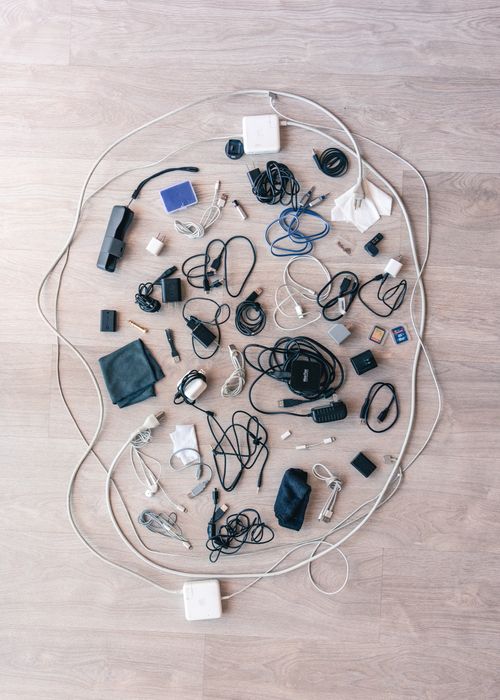
If you've ever caught yourself saying any of the following, you're not alone — but you're feeding the problem:
"I'll sort my photos this weekend." (You won't. That weekend has been canceling on you for a year now.)
"That tab might be useful someday." (It's probably a recipe you'll never actually try.)
"Deleting it means losing the memory." (The memory stays with you, not in a blurry photo of a parking spot.)
"I just need a better folder system." (No folder structure in the world can fix 10,000 unsorted files.)
Digital clutter thrives on the empty promise of "later." The only approach that actually works is to systematically reduce — not just rearrange.
How to Declutter Your Digital Life: A Step-by-Step Framework
Use this digital minimalism framework to take back control of your devices, your focus, and your money. No marathon sessions needed — just consistent, small wins.
Phase 1: Get Your Inbox to Zero (Without the Stress)
Search & destroy: In your email, search for "unsubscribe." Select all, delete. That's 1,000+ marketing emails gone in seconds.
Create just 3 folders: "Action," "Waiting," "Reference." Archive everything else. If it's genuinely urgent, it'll resurface on its own.
Unsubscribe before you delete: Use a tool like Clean Email or the built-in unsubscribe button to slow the flood coming back in.
Phase 2: Clean Up Your Phone & Tablet (Reclaim Storage and Focus)
Apps: Delete any app you haven't opened in 3 months. Re-downloading only takes seconds if you truly need it again.
Photos: Open your Photos app → "Screenshots" album → delete everything except the last week's worth. Do the same for "Duplicates" — both iPhone and Android have built-in duplicate removers now.
Home screen: Keep just 8 essential apps on the first page. Turn off notification badges for everything except messages and your calendar.
Phase 3: Your Computer & Desktop: From Chaos to Clarity
The desktop-zero challenge: Move every single file into ONE temporary folder called "Sort Later." If you don't open that folder within 7 days, delete everything inside. (You won't miss them.)
Browser tab amnesty: Bookmark all open tabs into a folder called "Read Later (LOL)." Close all tabs. Enjoy the mental quiet.
Find the duplicates: Use a free tool like dupeGuru or CCleaner to wipe out duplicate photos, documents, and music. You'll clear gigabytes in one go.
Phase 4: Audit Your Subscriptions (Stop the Money Leak)
Go to your phone's settings → tap your name → Subscriptions (iPhone) or Google Play → Subscriptions (Android). Cancel anything you don't actively use.
Scan your bank statements for recurring app charges you forgot about.
Use an app like Truebill or Rocket Money to uncover hidden subscriptions you didn't even realize you had.
Phase 5: Stay Mindful Going Forward (Prevent the Re-Clutter)
The one-in-one-out rule: For every new app, photo, or file you download, remove something old.
A weekly 10-minute purge: Every Sunday, delete 50 screenshots, 10 emails, and 5 files. It's a small habit that actually sticks.
Cloud storage spring cleaning: Set a quarterly reminder to review what's in Google Drive, Dropbox, or iCloud. If you haven't touched it in a year, consider it trash.

Key Takeaways (For the Skimmers)
Digital clutter is real — it costs you mental clarity, time, and money.
It's not just an organization problem; it's hoarding behavior driven by fear and decision fatigue.
You can declutter your digital life with small, focused actions: email cleanup, photo organization, a subscription audit, and the desktop-zero challenge.
The goal isn't perfection — it's building a digital space that supports your focus instead of sabotaging it.
A minimalist approach to your devices cuts anxiety and boosts productivity — almost immediately.
Comments1
You must be logged in to join the discussion.
Aviral Shukla
Aug 6, 2026Can share your thoughts over here..!!